
Advisor (Classic)
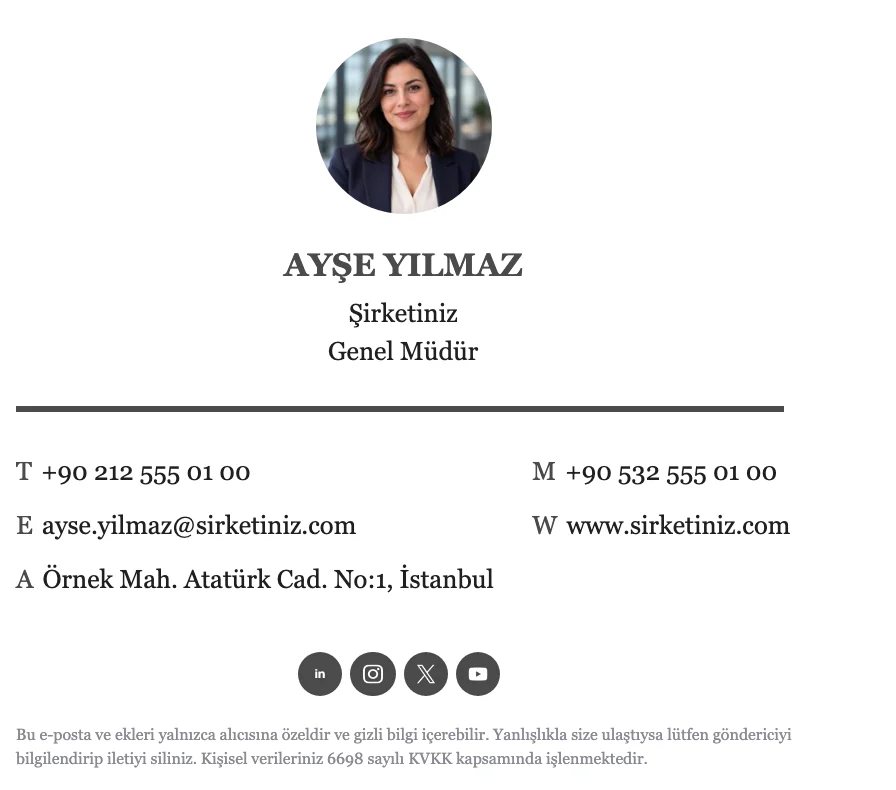
A centered layout with a round photo on top, the name in capitals and a serif font. Suited to consultants, lawyers and finance professionals who want a refined look.
Skip the blank page. Pick one of Zeyl's signature templates, add your details and brand colors, and your signature is ready.

A good email signature takes more detail than it seems: alignment, spacing, font sizes, and mail apps that each read HTML in their own way. Templates handle the hard part for you.
Every template is built with table-based HTML so it holds up across mail apps. You pick a template and enter your name, title and contact details.
Another benefit of templates is consistency. Everyone using the same template gets the same layout, colors and font, so recipients recognize email from your company by its signature.
Templates come in three styles: classic, professional and corporate. Each one is designed around a different profession and brand personality, and every one lets you change colors, fonts and content.
When choosing, first decide what the signature should put forward. In roles that work one on one with customers, the photo templates (Advisor, Care, Medic) bring the person forward; where the brand should lead, the logo templates (Hexa, Dental) fit better.
A centered layout with a round photo on top, the name in capitals and a serif font. Suited to consultants, lawyers and finance professionals who want a refined look.
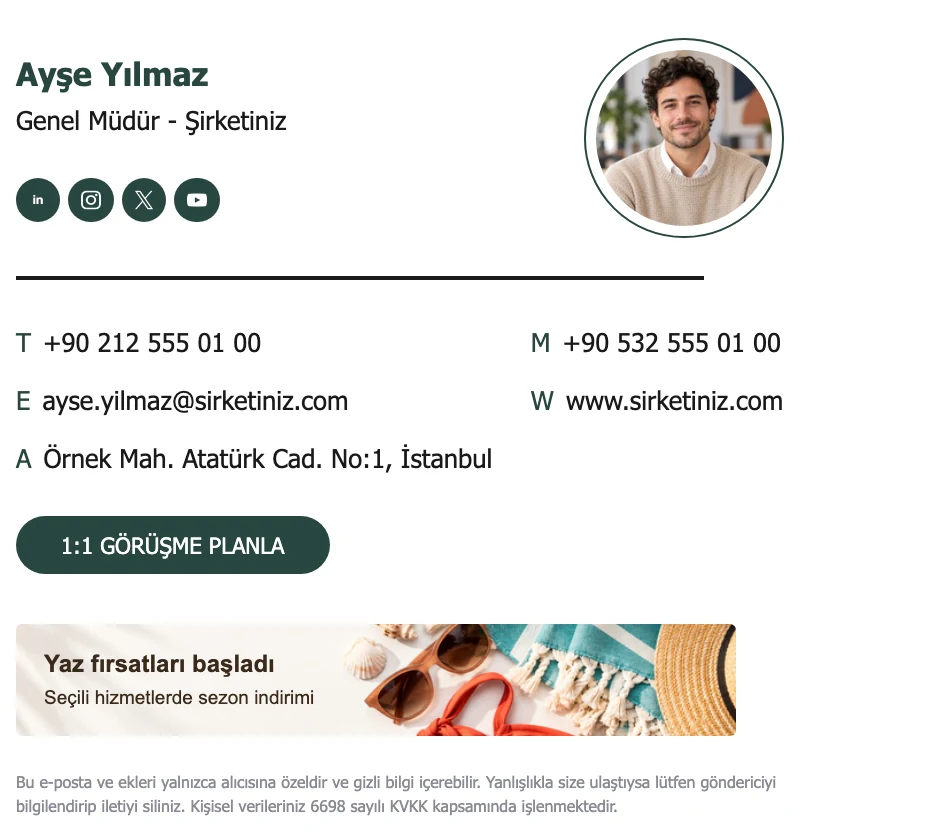
Name and title on the left, a round photo framed by a ring on the right. Suited to health, care and coaching services looking for a warm, trustworthy feel.
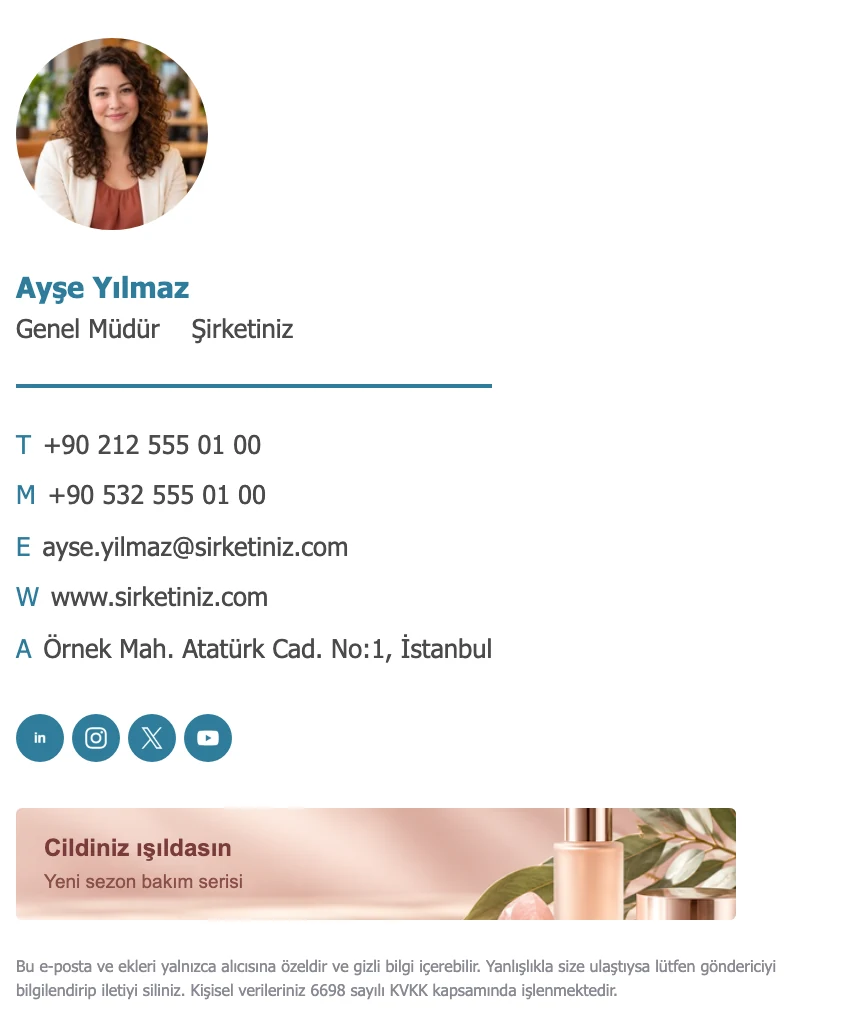
Photo on top, with the name, title and contact details left aligned below and a thin divider line. A clean, orderly choice for doctors, clinic staff and healthcare professionals.
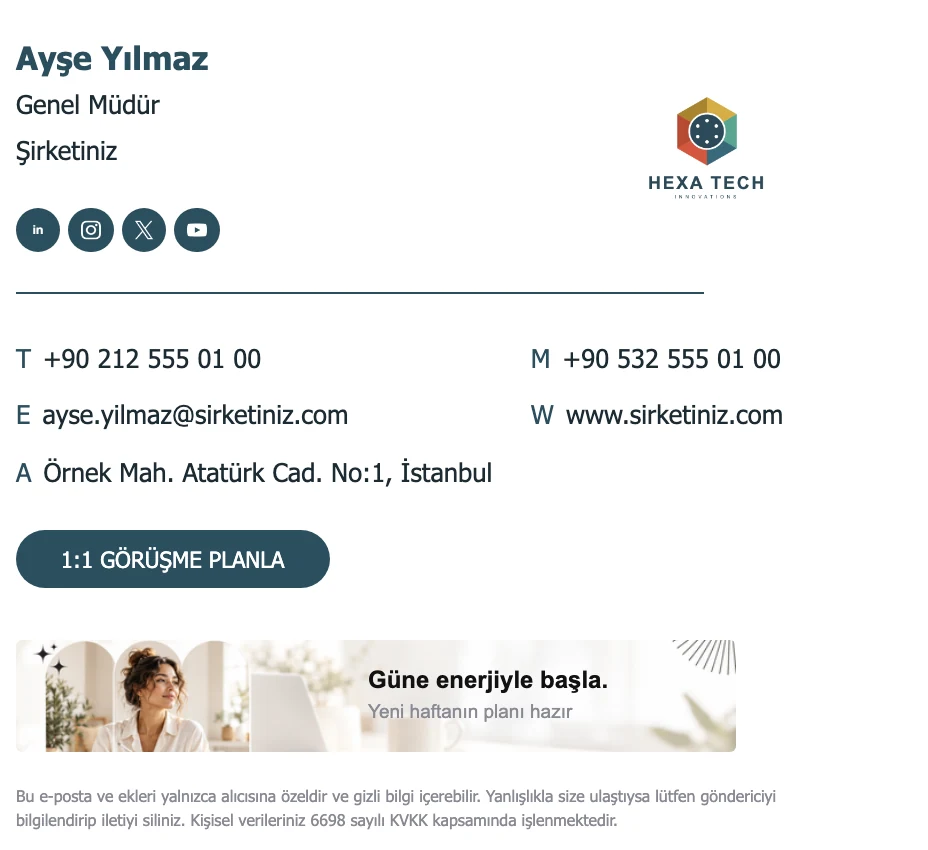
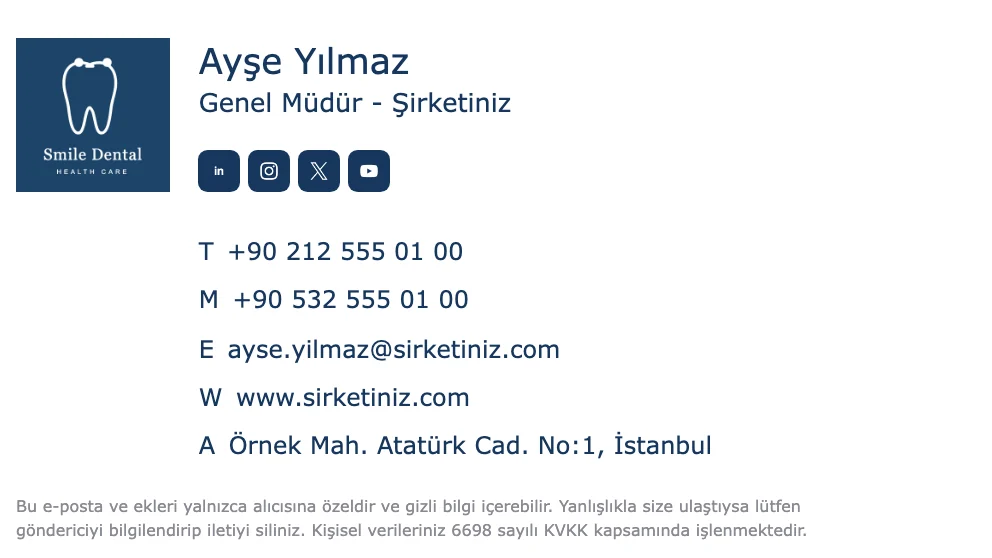
Your company logo on the right instead of a photo, name and title on the left, contact details below. Suited to companies and agencies that want the brand to lead.
Logo on the left with the name, title and contact details beside it, plus square social icons. A tidy corporate look for clinics, practices and service businesses.
A template is only the starting point. Enter your website address and Zeyl finds your logo and brand colors and applies them to the template. Then you edit each part on its own in the block-based studio.
You can also make changes by typing to Zeyl AI, for example "add our address, take the colors from the logo". Every change can be undone, and edits save to a draft automatically.
Open a free account; connect Microsoft 365 or Google Workspace for your team.
Whichever template you choose, you can add all of Zeyl's modules. They follow the template's layout instead of looking bolted on.
Add a clickable banner under the signature, and on the Team plan schedule campaigns by team and date.
Collect one-click feedback with satisfaction faces, NPS or a yes/no question.
Add your privacy or legal notice at the very bottom of the signature.
Greeting (a personal sign-off), call-to-action button, image gallery, eco note, quote, announcement and social icons.
Some of your recipients read email in dark mode, and some apps invert colors when they do. In Zeyl you check every template with the day and night preview, so you can see whether your logo or colors get lost on a dark background before the signature goes live.
How you use the signature depends on your plan.
On the free plan you copy the signature as HTML or download it; the app has step-by-step guides for Outlook, Gmail and Apple Mail.
On the Team plan the signature is added on the server at send time. The template is filled in with each person's details automatically, and nobody has to copy anything.
On the Team plan Zeyl fills the template with each person's details and writes it to their Gmail signature setting.
On the Team plan you pick one template and use it across the company. Details such as name, title and phone come from the Entra ID directory on Microsoft 365 or from the user directory on Google Workspace, and new hires get the same signature automatically. The Team plan costs 9 € per month plus 1 € per person.
Yes. Every template is available on the free Personal plan. You design your signature and copy it as HTML or download it.
Decide whether the person or the brand should lead. The photo templates (Advisor, Care, Medic) suit roles that work one on one with customers, and the logo templates (Hexa, Dental) suit companies that want the brand in front. You can switch templates at any time.
Yes. Colors, fonts and content can all be changed. If you scan your website, your logo and brand colors are applied to the template automatically.
Templates are built with table-based HTML so they look consistent across mail apps. The app includes setup guides for Outlook, Gmail and Apple Mail.
Yes. Every template works with all modules, including banners, surveys, the legal disclaimer and the call-to-action button. Campaigns and surveys are part of the Team plan.
The night preview in the studio shows how the signature looks in dark-themed apps.
Yes. Changes you make in the studio save to a draft and go live when you press Publish. A copied signature has to be copied again.
Yes. On the Team plan, with a Microsoft 365 or Google Workspace connection, the same template is filled in with each person's own details.
Design your signature in the Zeyl studio in a few minutes, copy it as HTML or download it, and add it to the mail app you use. The Personal plan is free.
Read more →
Your company sends hundreds of emails a day. With Zeyl you add a banner under the signature and plan, from one place, which team shows what and when.
Read more →
Instead of sending a separate survey email, put the question in the signature. Recipients answer with one click, and every conversation gives you a signal.
Read more →Design it in minutes, publish it to your team.