
Satisfaction faces
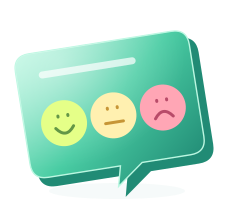
Happy, neutral and unhappy faces for a quick read on how people feel. A good fit for "Was this reply helpful?" at the end of support emails.
Instead of sending a separate survey email, put the question in the signature. Recipients answer with one click, and every conversation gives you a signal.
Traditional satisfaction surveys arrive as separate emails, and many are deleted unopened. The email your support agent, account manager or sales rep writes to a customer, on the other hand, gets read. Zeyl puts the question into the signature of that email.
Recipients do not have to open a new page or fill in a form. The question is in the signature, and the answer is one click.
A survey in the signature captures feedback right after the conversation. Customers say what they think the moment they read the reply, instead of trying to recall the experience in a generic survey weeks later. That makes it easier to connect answers to a specific service or person.
A question in a signature should be short and take a single step. That is why Zeyl offers three clear formats.
Happy, neutral and unhappy faces for a quick read on how people feel. A good fit for "Was this reply helpful?" at the end of support emails.
"How likely are you to recommend us to a friend?" on a scale from 0 to 10. Used to follow the overall health of a customer relationship.
The simplest format for settling a single point, such as "Was your issue resolved?" or "Does our proposal meet your needs?".
The survey is one of the modules in the signature studio. You pick a format, write the question and add it to the signature.
Choose satisfaction faces, NPS or yes/no.
Keep it short and about one thing. Use the day and night preview to check how it looks in light and dark themes.
Add the survey to the signature and publish. Recipients see the question in the signature when they open the email.
When a recipient clicks an option, the answer is recorded in Zeyl, so responses are collected in one place.
Open a free account; connect Microsoft 365 or Google Workspace for your team.
Any team that writes to customers regularly can use a single signature question for its own purpose.
Measure service quality with satisfaction faces under every support reply.
Follow the relationship with key accounts through NPS in the teams that handle them.
Ask a yes/no question after a proposal to learn whether it meets the customer's needs.
When you change the question, how soon it shows up depends on how you use your signature.
The survey is added on the server together with the signature, as the email is sent. The change applies from the next email, and nobody's settings are touched.
Zeyl rewrites each person's Gmail signature setting, so the current question appears in email sent from Gmail.
An HTML signature that was copied or downloaded is static. It does not update by itself when the question changes; it has to be copied again.
Ask one question and keep it short. A signature is not the place for a long form. Match the question to the context of the conversation: satisfaction for support, NPS for account managers.
Refresh the question from time to time, but not too often: keeping one question live for a while makes the answers easier to compare. Avoid asking the same people several questions in the same period.
Write the question from the recipient's point of view. A concrete question such as "Did this reply solve your problem?" gets more answers than "Rate our service". Keep the options clear enough that they need no explanation; a question understood at a glance gets answered with a click.
Signature surveys are included in the Team plan: 9 € per month plus 1 € per person. The plan also includes the Microsoft 365 or Google Workspace connection and campaigns. You can try the Team plan for 5 days with Microsoft 365 or the copy option (up to 25 people, card required up front). There is no trial for Google Workspace. The free Personal plan does not include surveys.
It is a short question placed inside the signature that the recipient can answer with one click. It lets you collect feedback without sending a separate survey email.
Net Promoter Score (NPS) is a common way to measure, on a scale from 0 to 10, how likely a customer is to recommend you. Asked in the signature, it gives you a steady reading through conversations that are already happening, without sending a separate survey, which makes it easier to see how the relationship changes over time.
There are three formats: satisfaction faces, a 0 to 10 Net Promoter Score, and yes/no.
No. The recipient clicks an option in the signature and the answer is recorded in Zeyl. No add-in or account is needed.
Emails already sent do not change. With the Microsoft 365 or Google Workspace connection, the new question appears in the emails that follow.
No. The survey is one of the signature studio modules and fits the signature layout. Use the day and night preview to check it in light and dark themes before publishing.
No. A manually copied signature is static, so you need to copy it again when the question changes. For signatures that update on their own, connect Microsoft 365 or Google Workspace.
No. Surveys are part of the Team plan at 9 € per month plus 1 € per person.

Your company sends hundreds of emails a day. With Zeyl you add a banner under the signature and plan, from one place, which team shows what and when.
Read more →
Zeyl adds your company signature on the server to every email sent through Exchange Online. Nobody on your team has to install or configure anything.
Read more →
Zeyl writes your company signature into each employee's Gmail signature setting in Google Workspace. No one has to copy and paste anything by hand.
Read more →Design it in minutes, publish it to your team.